Styling
diatypst includes some default styling for commonly used elements in typst. They all follow the theme color that was set in the call to diatypst (by default a dark blue).
Terms
A typst term:
/ *Term*: Definition
will look like this:

Code Blocks
A code block:
```python
// Example Code
print("Hello World")
```
will look like this:

Quotes
A quote:
#quote(attribution: [Plato])[
  This is a quote
]
will look like this:

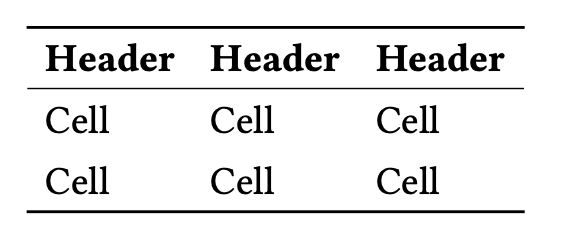
Tables
A table:
#table(
  columns: 3,
  [*Header*],[*Header*],[*Header*],
  [Cell],[Cell],[Cell],
  [Cell],[Cell],[Cell],
)
will look like this:
Lists
And finally, lists:
// unnumbered
- A
  - AAA
    - B
// or numbered
1. AAA
2. BBB
3. CCC
will look like this

Reference / Link
Similar to beamer, you can link to headings on other slides, useful for appendices etc.
To create this hyperlink:

use this code:
You can go to the #ref(<label1>, supplement: "first slide") or maybe to @label2 if that suits you better.
see more on links in the guide